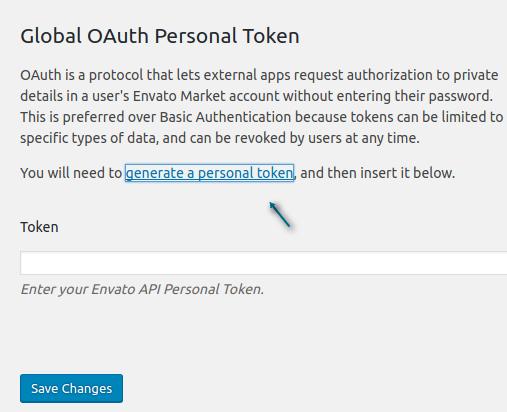
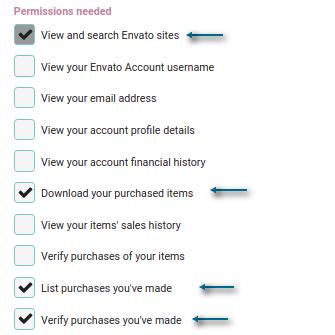
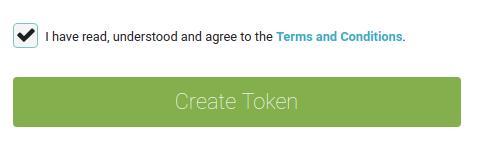
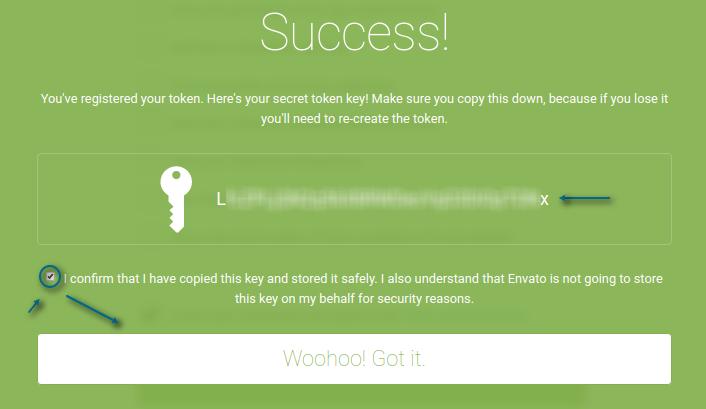
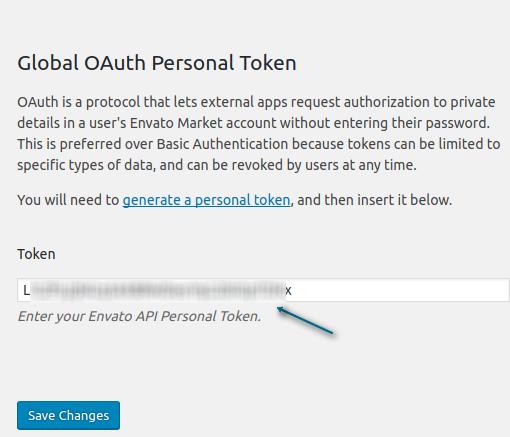
How to (AUTO) update the ClassifiedPro WordPress theme? Estimated reading: 1 minute Notice Message ATTENTION! PLEASE BACKUP BEFORE PROCEEDING. WE ARE NOT RESPONSIBLE FOR ANY LOSS PART 1: INSTALL ENVATO MARKET PLUGINSTEP 1: Go to Plugins > Add NewSTEP 2: Click the Upload PluginSTEP 3: Click Choose FileTo Download the Envato Market plugin Click HereSTEP 4: Upload the file above.STEP 5: Click Install NowSTEP 6: Click Activate PluginPART 2: CONFIGURE THE ENVATO MARKET PLUGINSTEP 1: Go to Envato MarketSTEP 2: Under Global OAuth Personal Token, click Generate a personal token STEP 3: Give a Token name (Example: ClassifiedPro)STEP 4: Check if these 4 boxes’ Permissions were included as shown below. STEP 5: Accept the terms, and click Create Token STEP 6: Copy the newly Generated Token STEP 7: Go back to Envato Market and paste the newly Generated Token STEP 8: Click Save Changes The Envato Market plugin will display a notice in your WordPress dashboard when an update is available